Titanic AI Chabot
Built an AI-powered RAG chatbot that combines semantic search and OpenAI GPT to answer questions using retrieved knowledge base content.
Technologies Used: Python, FastAPI, Streamlit, OpenAI GPT-4.1, ChromaDB, Pydantic, Pytest, REST APIs, JSON, Swagger/OpenAPI
The Titanic AI Chatbot is a Retrieval-Augmented Generation (RAG) application that answers questions about the RMS Titanic using a custom knowledge base, semantic vector search, and OpenAI GPT. The application retrieves relevant Titanic facts from a ChromaDB vector database and provides those facts as context to GPT before generating a response.
The project demonstrates modern AI application architecture by separating the user interface, API layer, retrieval engine, and language model into independent components.
Key Features:
Conversational chat interface built with Streamlit
FastAPI REST API backend
ChromaDB vector database for semantic search
Retrieval-Augmented Generation (RAG) architecture
GPT-powered natural language responses
Automatic Swagger/OpenAPI documentation
Health monitoring endpoint
Automated testing with pytest
Context-aware responses based on retrieved Titanic facts
Architecture:
User Question
↓
Streamlit Frontend
↓
FastAPI Backend
↓
ChromaDB Vector Search
↓
Relevant Titanic Facts Retrieved
↓
OpenAI GPT-4.1 Response Generation
↓
Answer Returned to User
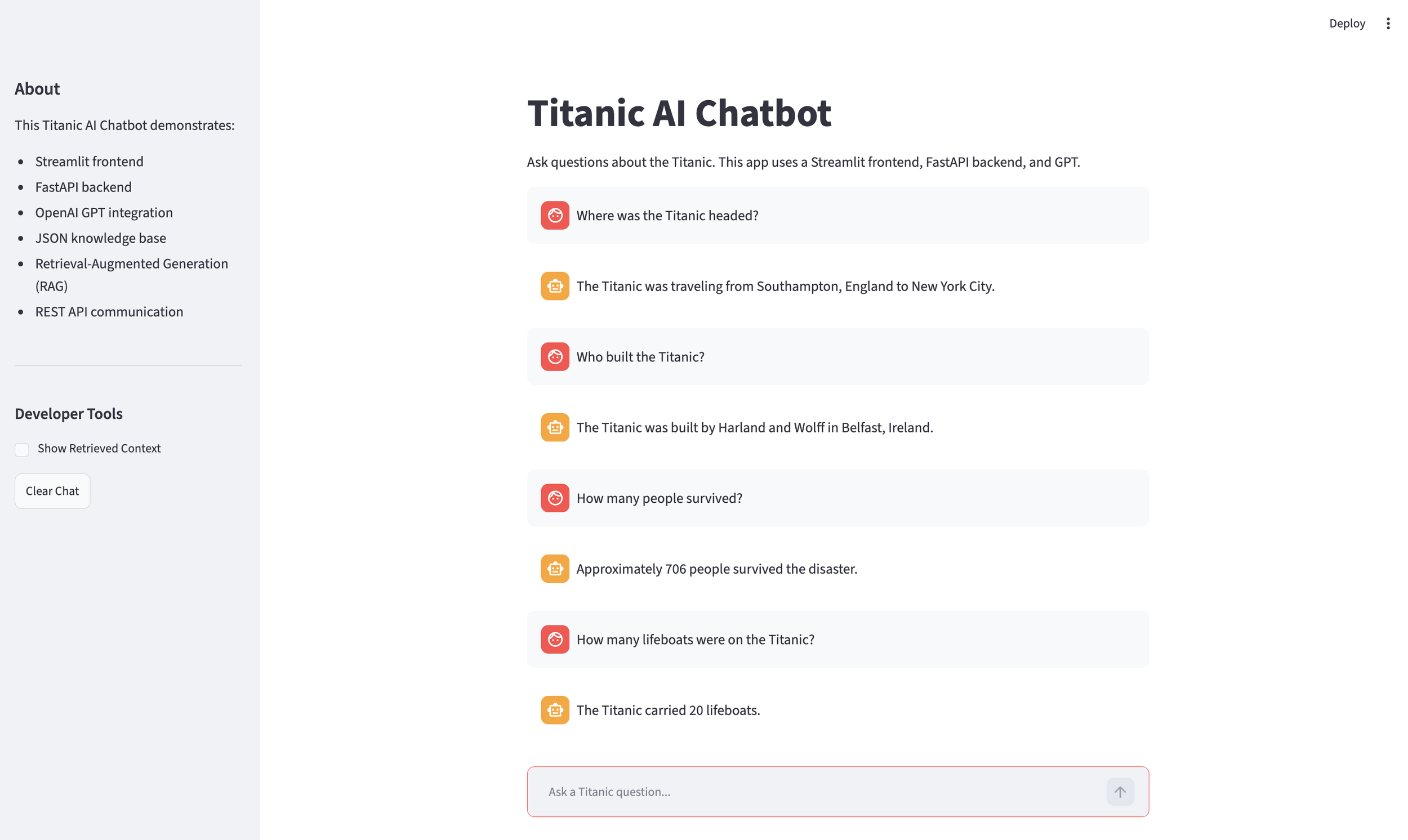
Streamlit Chat
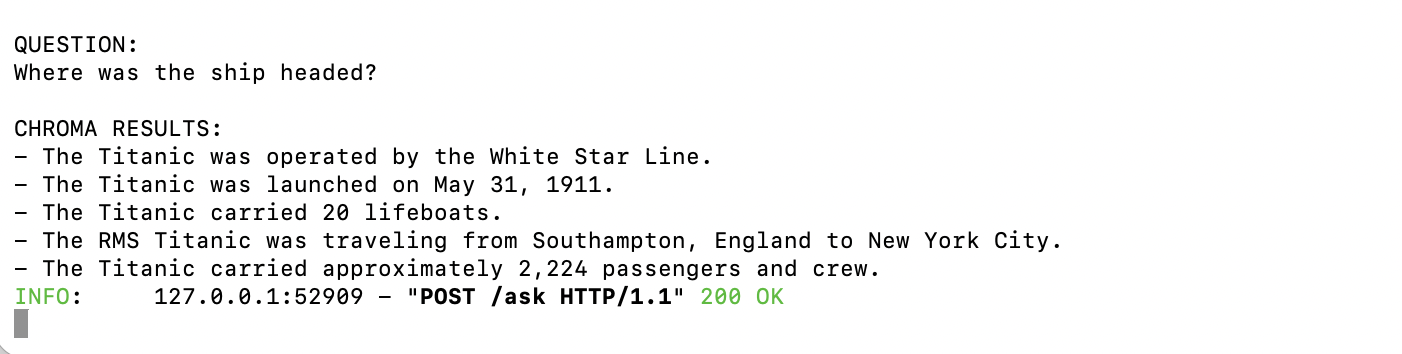
Vector Search
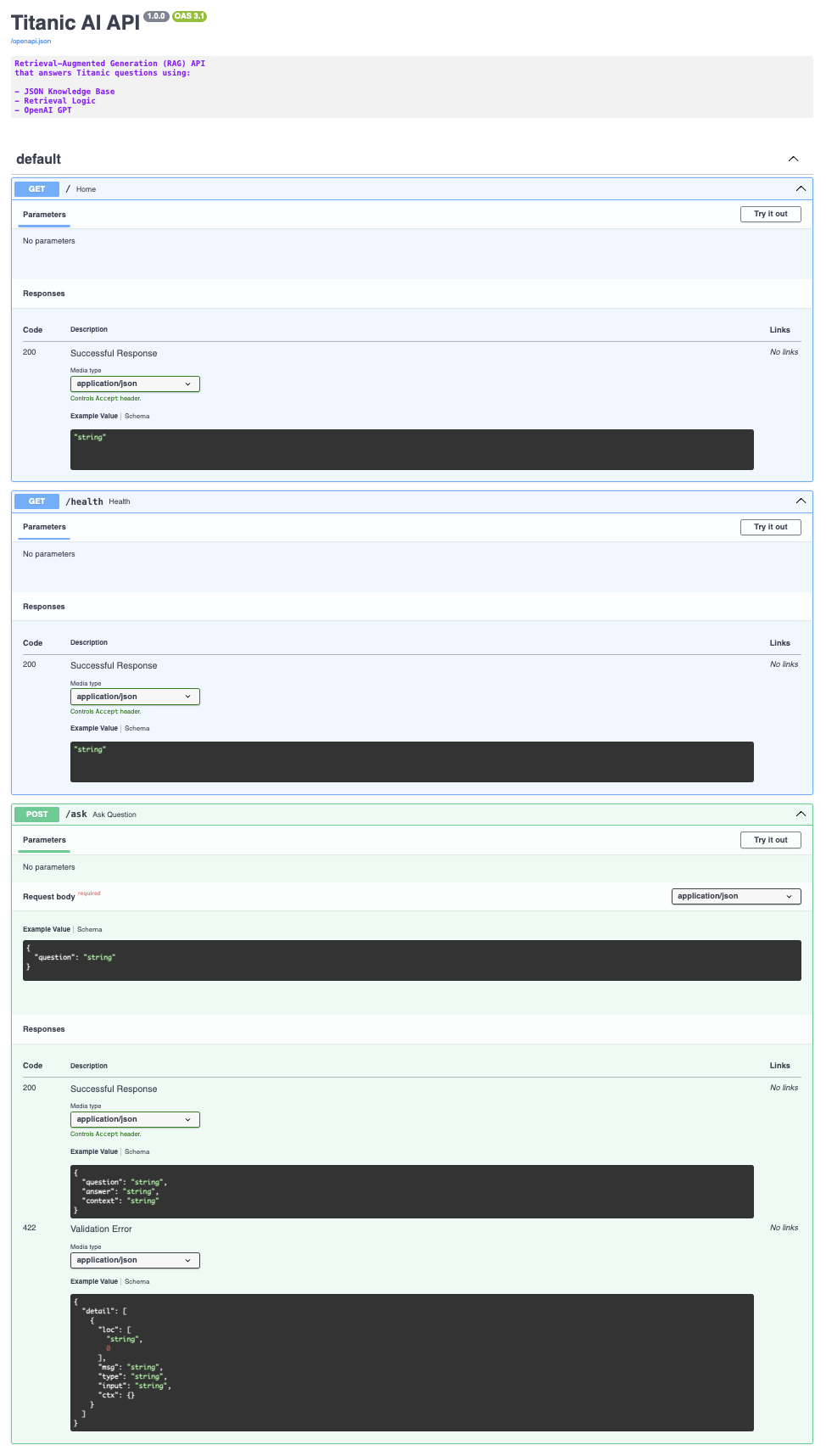
Swagger API
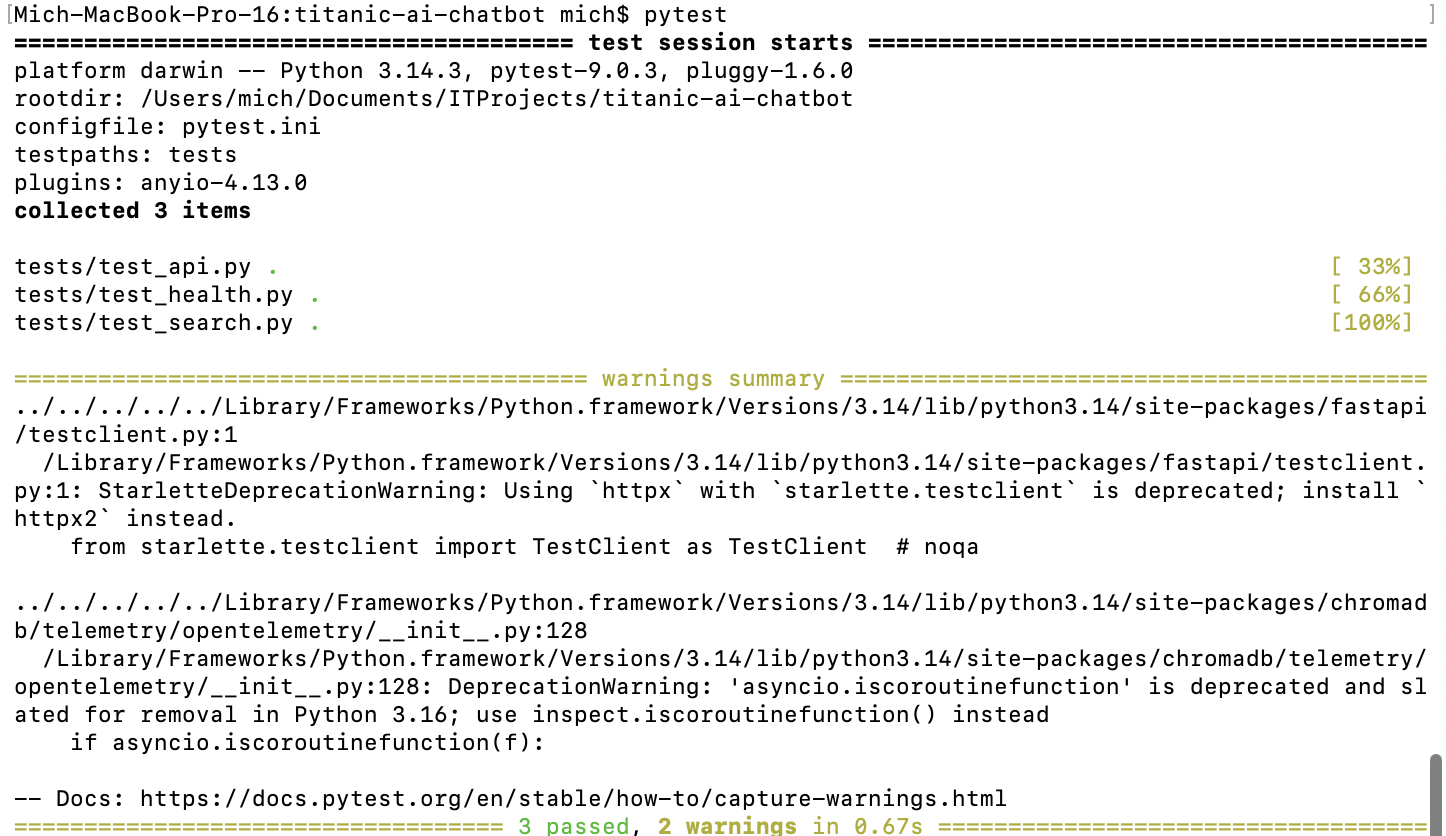
Pytest
Challenges & Solutions
Traditional keyword search struggled with different user phrasing → Implemented ChromaDB vector similarity search.
Frontend and backend logic were tightly coupled → Separated responsibilities using Streamlit and FastAPI.
GPT could generate unsupported answers → Implemented Retrieval-Augmented Generation using retrieved context.
API reliability needed verification → Added automated tests using pytest and FastAPI TestClient.
What I Learned
Building production-style APIs with FastAPI
Creating Retrieval-Augmented Generation (RAG) workflows
Using vector databases and semantic search
Integrating OpenAI GPT into real-world applications
Designing frontend/backend architectures
Writing automated API tests with pytest
Documenting APIs using Swagger/OpenAPI
Future Improvements
Add conversation memory
Support larger datasets and multiple document sources
Add source citations in responses
Deploy using Docker
Host on AWS
Add user authentication
Store chat history in a database
Implement hybrid search (keyword + vector search)